

TL;DR / Quick Answer
How AI Agents Help In Daily Tasks is by working autonomously in the background monitoring information, making decisions, and taking actions like sending emails, organizing schedules, and automating repetitive work. Unlike chatbots, they don’t just suggest what to do; they actually do it for you.
Table of Contents
How AI Agents Help In Daily Tasks?
When we talk about how AI agents help daily tasks, we’re referring to the small, repetitive actions that eat up your time every single day.
These fall into two categories:
Personal tasks:
Email management, calendar scheduling, reminders, tracking packages, monitoring news
Work tasks:
Following up with clients, updating spreadsheets, routing support tickets, tracking project deadlines
The key distinction? Repetitive vs. decision-based.
AI agents excel at tasks that follow patterns things you do the same way repeatedly. They’re also surprisingly good at simple decisions: “Should I follow up with this person? Yes, it’s been 3 days.”
Why are intelligent agents ideal for these boring, repeatable actions?
Because they don’t get tired, distracted, or forget. They run continuously in the background, handling the small stuff so you can focus on work that actually requires your brain.
Think of AI agents as invisible assistants quietly checking boxes on your to-do list while you sleep.
👉 New to AI agents? Start here: [AI Agents for Beginners: What They Are & How They Work]
How AI Agents Help With Communication Tasks?
Communication is where most people first experience the power of task automation with AI agents.
Here’s what autonomous AI can handle in your inbox and messaging apps:
Email Sorting and Prioritization
AI agents scan your emails as they arrive, categorize them (urgent, newsletters, spam, routine), and surface what actually needs your attention.
You stop wasting time scrolling through 50 unread messages to find the 3 that matter.
Automatic Follow-Ups
This is a game changer for anyone in sales, freelancing, or project management.
Example:
You send a proposal to a client. Three days pass with no response. The AI agent notices and automatically sends a polite follow-up: “Just wanted to check if you had any questions about the proposal I sent last week.”
You didn’t set a reminder. You didn’t manually check. The agent handled it.
Drafting + Sending Replies
For routine emails meeting confirmations, status updates, simple questions AI agents can draft and send responses automatically based on patterns they’ve learned from your past behavior.
Example:
Someone asks “Can we meet Tuesday at 2pm?” Your agent checks your calendar, sees you’re free, and replies: “Tuesday at 2pm works! I’ll send a calendar invite.”
Slack/Discord Message Monitoring
AI agents can monitor team channels, flag messages that mention you or urgent keywords, and even respond to routine questions.
Why this matters:
Communication tools are constant distractions. AI-powered automation lets you stay responsive without staying glued to your inbox.
How AI Agents Help With Organization & Scheduling?
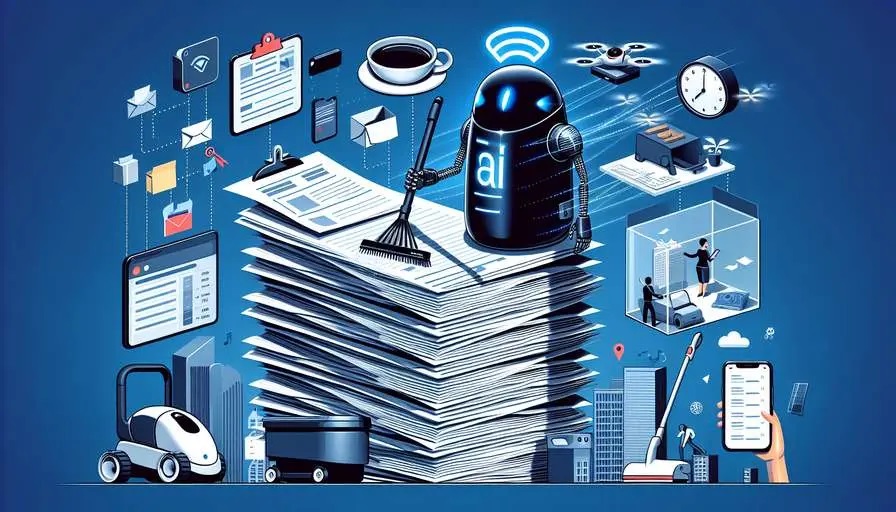
If your calendar and task list feel chaotic, AI agents can restore order.
Calendar Management
AI agents don’t just add events they actively manage your schedule based on your preferences.
Example:
You tell the agent: “Keep my calendar free after 6 PM and don’t schedule meetings on Fridays.”
The agent automatically declines conflicting invites, suggests alternative times, and protects your boundaries.
Meeting Scheduling
Coordinating meeting times across multiple people’s calendars is painfully tedious. AI agents handle it autonomously.
How it works:
Someone emails asking to meet. The agent checks everyone’s availability, proposes 2-3 options, and once confirmed, sends calendar invites with video links.
Zero back-and-forth emails. Zero mental overhead.
Task Reminders
Unlike static reminders you set once, AI agents create intelligent reminders based on context.
Example:
You mention in an email that you’ll “send the report by Friday.” The agent automatically adds a reminder for Thursday to give you time to prepare.
Deadline Tracking
For project-based work, AI agents monitor deadlines across tools (email, project management software, calendars) and alert you when things are at risk.
Why this matters:
You stop dropping balls. The agent keeps track of commitments so you don’t have to mentally juggle everything.
How AI Agents Help With Research & Information Monitoring?
Research and staying informed are time-consuming. AI agents turn hours of work into minutes.
Monitoring News
Instead of checking 10 different news sites, AI agents monitor topics you care about and deliver daily summaries.
Example:
You’re tracking developments in AI regulation. The agent scans relevant sources overnight and emails you: “3 new articles about EU AI Act updates here’s what changed.”
Tracking Prices or Trends
Whether you’re watching stock prices, monitoring competitor pricing, or tracking industry trends, AI agents handle the continuous monitoring.
Example:
You’re waiting for a product to drop below $200. The agent checks hourly and notifies you the moment it hits your target price.
Watching Competitors or Keywords
Businesses use AI agents to monitor competitors new product launches, pricing changes, social media mentions, job postings.
Example:
An agent tracks whenever your competitor is mentioned online, analyzes sentiment, and flags anything noteworthy.
Summarizing Long Information
AI agents can read long documents, articles, or reports and deliver concise summaries highlighting key points.
Example:
“Instead of reading this 50-page report, here are the 5 takeaways that matter for your project.”
Why this matters:
You stay informed without drowning in information. Background automation means you’re always up-to-date without constant manual checking.
👉 See more examples: [Real-Life AI Agent Examples & Use Cases]
How AI Agents Save Time Compared to Chatbots
This is an important distinction that clarifies how AI agents help daily tasks differently than tools like ChatGPT.
Reactive vs. Proactive
Chatbots (like ChatGPT):
You ask a question → it answers → stops.
Every interaction requires you to initiate. You’re still doing the work of remembering to ask, typing prompts, and executing the suggestions.
AI agents:
You set a goal → the agent runs continuously → reports back when done.
The agent works in the background without you needing to prompt it every time.
One-Time Setup vs. Repeated Prompting
Chatbot workflow:
Every day, you ask: “What should I prioritize in my inbox today?”
Agent workflow:
Once, you tell the agent: “Always flag emails from clients and archive newsletters.”
It runs automatically from then on.
Continuous Operation
Chatbots operate in sessions you open them, use them, close them.
AI agents operate continuously, even when you’re not actively engaging with them. They’re always monitoring, always ready to act.
Simple comparison:
- Chatbot: You ask → it answers → stops
- AI agent: You set goal → it runs → reports back
Both are useful, but for daily tasks, goal-based systems that work autonomously save dramatically more time.
👉 Learn more: [AI Agents vs ChatGPT: Key Differences Explained]
Are AI Agents Worth Using for Everyday Life?
Let’s be honest: AI agents aren’t for everyone or every task. Here’s when they make sense and when they don’t.
When AI Agents Are Worth It
1. You do the same task repeatedly
If you send similar follow-up emails every week, sort your inbox the same way daily, or check the same websites for updates agents save massive time.
2. You need 24/7 monitoring
Tracking price changes, system alerts, or customer messages around the clock? Agents never sleep.
3. You’re juggling too many small tasks
When your to-do list is 50 items long and half are “remember to check X” or “send Y a reminder” agents clear that mental clutter.
When AI Agents Aren’t Worth It
1. Tasks require nuanced judgment
Complex negotiations, creative problem-solving, or emotionally sensitive situations? Keep humans in charge.
2. One-off tasks
If you’re only doing something once, setting up an agent takes longer than just doing it yourself.
3. You don’t trust the automation yet
If you’ll spend more time double-checking the agent’s work than doing it manually, you’re not ready. Start small and build confidence.
Simple Beginner Advice
Start with one boring task you do every week. Maybe it’s:
- Sending a weekly status email
- Sorting newsletters from important emails
- Checking if anyone replied to your proposals
Set up an AI agent to handle just that one thing. See how it feels. Adjust as needed.
Once you trust it, add another task.
That’s how most people successfully adopt AI-driven tasks gradually, not all at once.
Conclusion: Start Small, Let Agents Do the Boring Work
Here’s the bottom line on how AI agents help daily tasks: they handle the repetitive, time-consuming work that doesn’t require your unique skills or judgment.
They won’t replace your creativity, strategic thinking, or human touch. But they will:
- Free up hours every week
- Reduce mental clutter
- Keep you organized without effort
- Let you focus on work that actually matters
The magic isn’t in doing one big thing it’s in handling dozens of small things automatically so they don’t pile up.
You don’t need to automate your entire life overnight. Start with one task. That’s usually when it clicks.
Soft CTA:
Ready to try? Pick one repetitive task from your week and explore How AI Agents Help In Daily.
👉 Next step: [How to Use AI Agents Without Coding (Beginner Tools)]
1. Can AI agents really work without supervision?
Yes, for well-defined, low-risk tasks. AI agents can handle email sorting, follow-ups, scheduling, and monitoring autonomously once you set them up. However, they work best with human oversight for important decisions. Think of them as reliable for routine work but still needing occasional check-ins to ensure they’re aligned with your evolving needs.
2. Do I need coding skills to use AI agents?
No. Platforms like Zapier, Make, Microsoft Copilot, and Notion AI let you set up AI agents with simple visual interfaces no coding required. You define what you want automated, set triggers and rules, and the platform handles the technical work. Coding helps for advanced customization, but most everyday automation works perfectly with no-code tools.
3. Are AI agents safe for everyday tasks?
Generally yes, when using reputable platforms with proper security. The main considerations are: only grant agents access to data they need, review their actions periodically (especially early on), and use human approval for sensitive decisions. Most AI agent platforms include security features and permission controls. Start with low-stakes tasks to build confidence before automating anything critical.






Leave a Comment